Ensuring that you keep your digital shop safe requires regular website maintenance to ensure the safety of your website security layers and management of your content management system. Failure to do so can lead to major security threats and even website downtime. With the help of a monthly checklist, you will be able to optimize your website properly.
Why Monthly Website Maintenance Actually Matters
Why is website maintenance necessary on a routine basis? Websites don’t crash or get hacked instantly; they deteriorate quietly in the background. Outdated software elements, increasing loading times, and expired security certificates accumulate in an almost invisible way. A vulnerable hole in your Content Management System (CMS) becomes the number one vector of attack for bots aimed at small and medium-sized businesses.Furthermore, search engines downgrade slow, insecure, or unreliable pages in search rankings. Setting up a certain monthly process will help you deal with these minor problems before it becomes too expensive and difficult to handle. Learn more about how web maintenance helps you keep your network safe from potential threats by reading our guide on how professional web maintenance services improve site security. Engaging in professional website maintenance helps keep your digital presence strong, speedy, and completely protected from any modern threats.Quick Checklist: 12 Monthly Tasks at a Glance
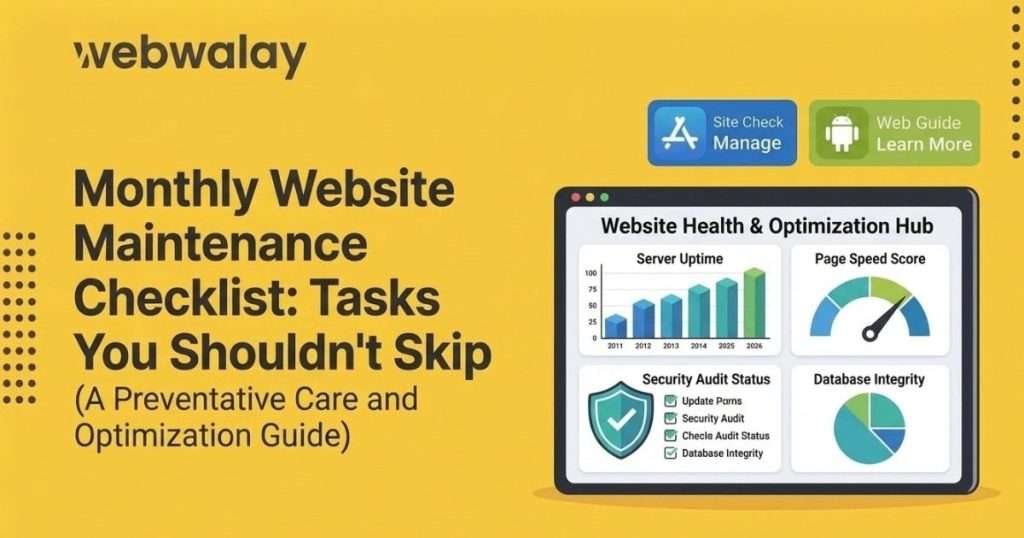
What should be included in a website maintenance checklist? Deploying reliable web maintenance services means following a repeatable system every single month. Below is the master blueprint covering everything from your database to your user experience.| SNO | Task | Frequency | Priority |
| 1 | Full site backup (files + database) | Monthly | Critical |
| 2 | CMS core update | Monthly | Critical |
| 3 | Plugin/theme updates | Monthly | High |
| 4 | SSL certificate check | Monthly | Critical |
| 5 | Malware/security scan | Monthly | Critical |
| 6 | Broken link audit | Monthly | Medium |
| 7 | Page speed test | Monthly | High |
| 8 | Uptime log review | Monthly | High |
| 9 | Form & checkout testing | Monthly | High |
| 10 | Spam comment/user cleanup | Monthly | Low |
| 11 | Analytics & traffic review | Monthly | Medium |
| 12 | Database optimization | Monthly | Medium |
Backups: Your First Line of Defense
Accidents will occur no matter how cautious you are. A plugin update gone wrong, or even a single line of code, can damage your website immediately.- Automated Full Backups: Always create a new full backup of your files and database before making any big changes to the website.
- Off-Server Redundancy: Make sure that your backups have at least two copies that are kept in different off-server places, like cloud-based and hard drive backups.
- Quarterly Restore Tests: Don’t think a backup is good until you test it to make sure it works. A backup that hasn't been checked is really just a false sense of security.
- Rolling Retention Policy: Keep backups for the last 30 days. This helps you fix any hidden problems from the past.
CMS, Plugin & Theme Updates
Core files and plugins in a Content Management System (CMS) are the most common way hackers get in.- Staging Environments: Never update code on the live production website. Test all upgrades within your mirrored staging environment first.
- Purge Inactive Add-ons: Remove and delete inactive and old add-ons from your site. They might be a potential threat even if you deactivate them.
- Changelog Analysis: Examine the developer’s release notes and change logs before updating to find out any potential issues.
Website Security (SSL) & Malware Checks
Checking your website's SSL certificate how often is recommended? You should do that once per month to have solid protection.- Certificate Validity: Ensure that your Website Security (SSL) certificate is properly activated and working fine, as far as the auto-renewal process is concerned.
- Deep Malware Sweeps: Do thorough checks for weaknesses and malware every month instead of waiting for something strange to happen.
- Firewall & Log Audits: Look at your Web Application Firewall (WAF) rules and check the logs of failed login attempts for signs of repeated login tries.
- Enforce Strong Access Control: Ensure secure administrator passwords along with MFA for all user accounts.
Speed, Uptime & Broken Link Audits
Today’s users have very little patience. If your pages take too long to load, you will lose them to your competition. Using organized website maintenance services helps keep your performance levels high.- Core Web Vitals Check: Each month, check the loading speed of your main landing and product pages to identify any slowdowns.
- Asset Optimization: Compress oversized media files and delete unnecessary cache or CDN files.
- Uptime Log Analysis: Check your hosting uptime logs to find any repeated short periods of downtime from your provider.
- Link Cleanup: Crawl your site and find out any broken internal links or dead external links, and use redirects accordingly.
Content, Forms & Analytics Review
Technical health means little if your ways of getting customers are not working. Spend some time each month checking how people use your pages.- End-to-End Functional Testing: Complete the forms for contacts, do manual testing for check-out paths, and click the Call-to-Action buttons on your page.
- Database Maintenance: Remove the spam comments and trash from the database and remove fake user accounts from your backend.
- Traffic & Metric Audits: Check for any unexpected reductions in traffic in your analytics tool, as they usually serve as a first sign of technical issues.
- Database Cleanups: Make your database tables better to keep your server running quickly.
DIY vs Hiring Website Maintenance Services
Handling maintenance on your own is good if you run a small website with not much traffic and have some extra time each month. However, as business websites, online stores, and important lead-generation sites grow, they quickly need more than do-it-yourself processes.Hiring professional website maintenance and support services includes regular backups, improved security, better performance, and quick help, all for a fixed monthly fee. Ultimately, the best decision depends on figuring out how much money your organization loses when there's unplanned downtime.How Webwalay's Web Maintenance Services Work
Keeping your digital footprint secure doesn't take too much time or effort from your team. At Webwalay, we take care of the tough technical work so you can concentrate on growing your business.- End-to-End Cycle: We take care of your monthly backups, important updates, and thorough security checks for you.
- Active Uptime Defense: Constant monitoring combines with rapid same-day resolution of interruptions before they have an impact on your financials.
- Transparent Reporting: Get a detailed report at the end of every month about everything that was scanned, repaired, and optimized.
Conclusion
Consistent maintenance through backups, security fixes, and performance optimizations is necessary for the creation of a safe and speedy site. Though small websites require simple maintenance, working with professionals such as Webwalay guarantees strong and hassle-free protection. Secure your online business and leave the rest to the professionals while you build your business.Protect your bottom line with Webwalay’s comprehensive website maintenance and expert optimization to ensure your digital storefront never skips a beat.FAQs
What tasks should be included in monthly website maintenance?
How often should backups be taken?
What happens if I skip website maintenance?
Does maintenance include security updates?
How much do website maintenance services cost?
Can I do website maintenance myself?